Category Archives: NPOTA

POTA/WWFF Activation, Adams Homestead and Nature Preserve, SD

This morning, I did a Parks On The Air (POTA) and World Wide Flora and Fauna (WWFF) activation of Adams Homestead and Nature Preserve,  a state park in North Sioux City, South Dakota.  I was returning home after presenting a Continuing Legal Education program in neighboring Sioux City, Iowa,  The most direct route home would have kept me in Iowa, but I couldn’t resist adding a few miles to my drive and activating a park in the “rare” state of South Dakota.

The 1500-acre park along the Missouri River contains about 10 miles of trails, as well as an archery range.  It also features a number of historic buildings, including the original homestead, other cabins, a church and a school.  Admission is free.   Most of the buildings and visitor center are closed on weekends, but the grounds are fully accessible.

I started on 15 meters, which sounded relatively quiet, so I quickly switched to 20 meters.  FT8 results weren’t very promising, with only one QSO.

Since CW gets through no matter what, I switched to 20 CW, where I made 20 contacts over the course of an hour.  My best DX was NL7V in Alaska, who pulled my QRP signal out of the noise and gave me a 229 report.  I made a number of Park-to-Park (P2P) contacts, including KD8DEU, who was coincidentally just down the Missouri River from me at Blanchette Landing Access State Conservation Area in Missouri.

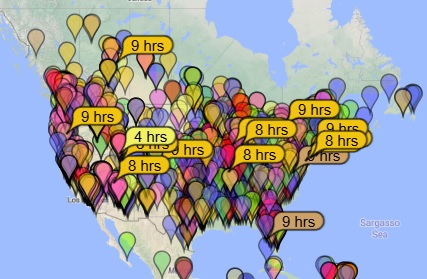
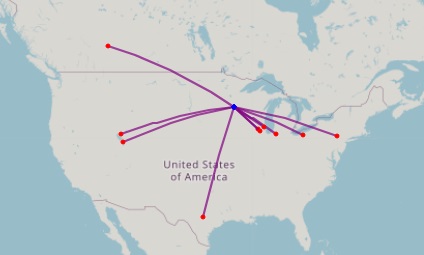
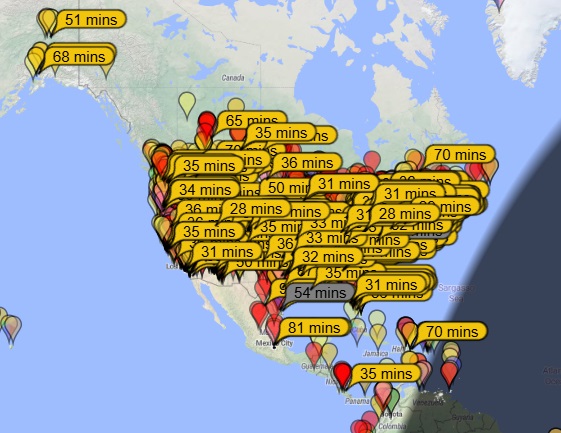
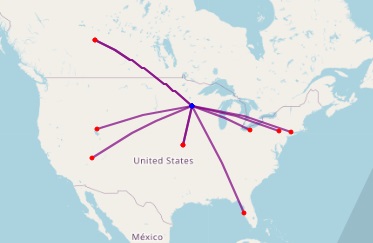
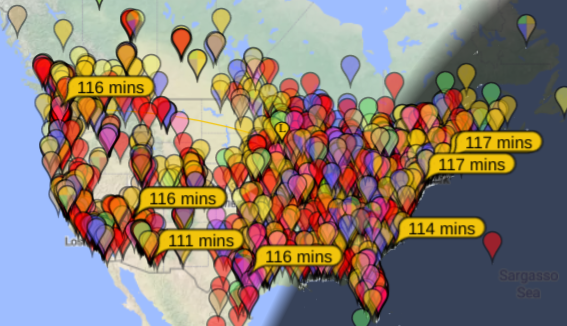
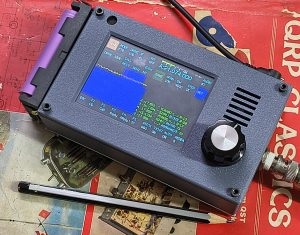
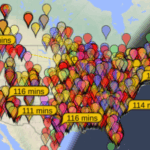
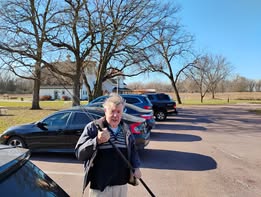
I was operating from my car, with my zBitX, with a Hamstick on the car.  As you can see from the maps below, I was getting out on both FT8 and CW.  The FT8 map from PSK Reporter has fewer spots than I would have expected, whereas the CW map from Reverse Beacon Network is pretty typical.

FT8 Signal Reports from PSK Reporter

CW Spots from ReverseBeacon.net.


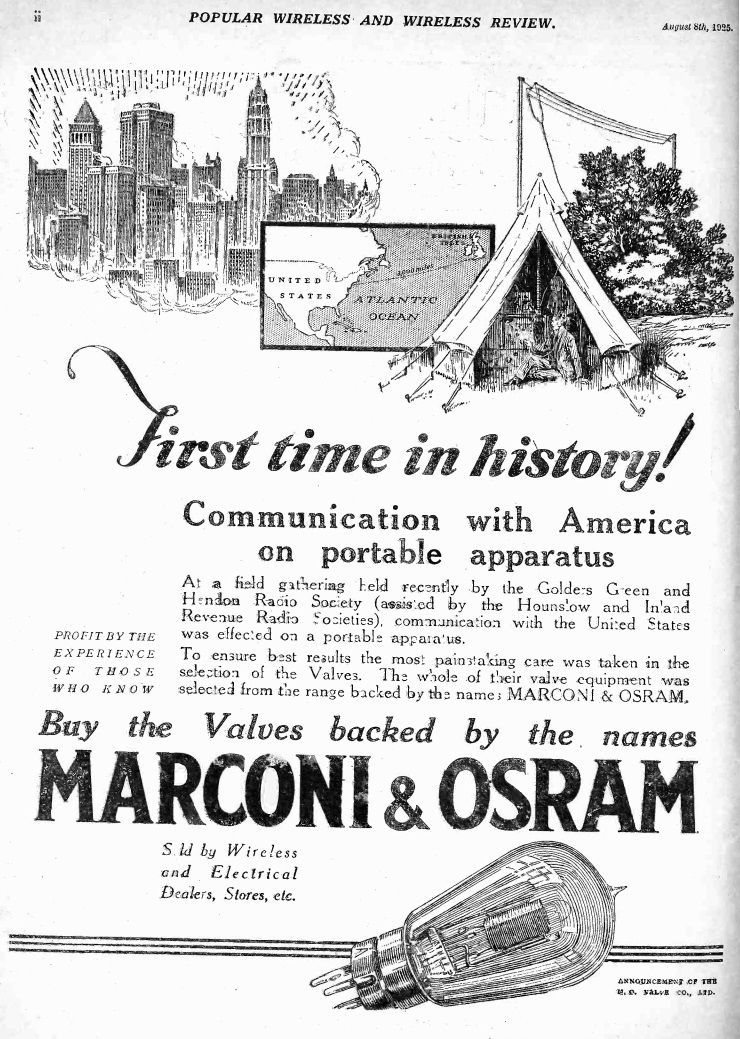
Transatlantic Portable Contact, 1925

As most readers of this site already know, one of my interests in amateur radio is portable operating, through activities such as Field Day, Parks on the Air, and World Wide Flora and Fauna. It’s fun to go to just about any spot on earth, and know that within a short time, I can be sending signals around the world. While most of my contacts wind up being domestic, there is always still a bit of a thrill when my signal hops the Pond.

And that excitement is nothing new, as shown by this ad in Popular Wireless a hundred years ago today, August 8, 1925. It recounts the recent field gathering of the Golders Green and Hendon Radio Society (assisted by the Hounslow and Inland Revenue Radio Societes) at which communications with the United States was first effected using portable apparatus.

To make this happen, the valves (what Americans would call vacuum tubes) bore the Marconi and Osram brand.

You can read more about this historic contact in the New York Times for June 8, 1925.


Easy HF Mobile Antenna

Now that I have my little zBitX transceiver, I’ve been trying it out during POTA activations. For Field Day, I set up a temporary dipole, but it’s always nice to be able to operate right from the car. In the past, I’ve used a trunk mount and a magnetic mount antenna. The trunk mount doesn’t fit very well on my car (a 2014 Dodge Journey), and the magnetic mount is old and in pretty bad shape.

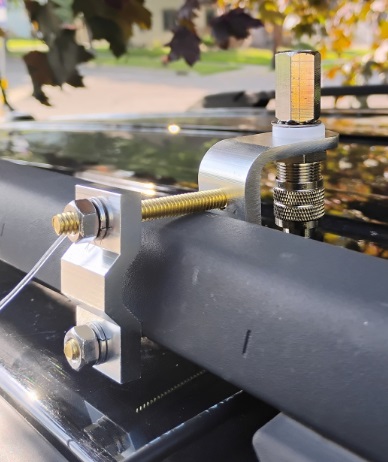
So I stopped at a truck stop on the way home from an activation and bought the mirror mount shown here. It fits (just barely) on the factory roof rack. I did have to make a run to the hardware store to replace the two bolts, as the ones provided weren’t quite long enough.  But it fits snugly and is secure.

As you can see, the coax connection just barely fits.  You do need to connect it before mounting the bracket.  I can use it with any of my Hamstick antennas, and today I tested it on 20 meters.

The mount that I purchased is Amarillo Supply Co. stock number 6163935, which is the store brand of Love’s Truck Stops, and you should be able to find it on the shelf at one of their locations.  Otherwise, it appears to be identical with this one at Amazon.

The purists will note that the rack appears to be made out of plastic, which is non-conductive.  So for a ground, I simply added a “radial” about 16 feet long.  You can see it attached to one of the bolts.  I ran that in the door, and around the molding of the rear door, out of sight.  Inside the car, also out of sight, it then goes to the front door, where it also runs around the molding.  I’ll probably add a couple more radials.

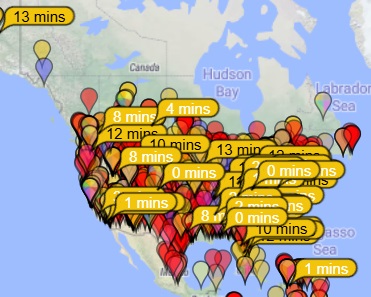
There are undoubtedly better ways to do it, but this provides an adequate ground.  I did another POTA activation today, and you can see that I was picked up on FT8 as far away as Costa Rica and Alaska.  And on CW, my signal was also picked up in the U.S. and Canada, as shown by the bottom map.


Some links on this site are affiliate links, meaning that this site earns a small commission if you make a purchase after using the link.

HFSignals zBitX Transceiver Review


Bottom Line: This little rig is an exceptional value, but it does have lots of idiosyncrasies.

As I mentioned previously, I recently acquired a zBitX transceiver from HFSignals.com. It’s made in India, and you can have one for $200, which includes shipping.

The company is based in India, although they seem to be incorporated in Delaware, USA.  This little radio is popular, and there is a waiting list.  In my case, it took about four weeks to ship after my order.  Once it was shipped, it took less than a week to get here via DHL.  (Mine is number 4017.)

The radio is an exceptional value for the money, although it’s probably not a good choice for your first radio or only radio.  But even a few years ago, I never would have dreamed that I could have a complete HF station that fits in my pocket (albeit a rather large pocket).  It covers 80-10 meters, and will work CW, SSB, AM, FT8, and other digital modes.  What I find remarkable is that you can make FT8 contacts without any external hardware.

It’s perfect for activities such as Parks On The Air (POTA).  The image above is from Field Day, where over the course of about 2 hours, I worked about 20 contacts, most on CW, but one on SSB.  (I could have worked a lot more on CW if I hadn’t spent unfruitful time trying FT8).  As with most QRP activities, CW gets through a lot better than SSB.  If you’re planning on working SSB QRP (particularly when conditions aren’t great), it can be an exercise in frustration.  But the radio works on SSB, with the built-in microphone, and I’ve made two contacts, one on Field Day, and another during the West Virginia QSO Party.
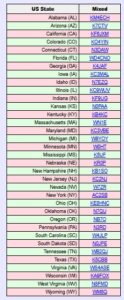
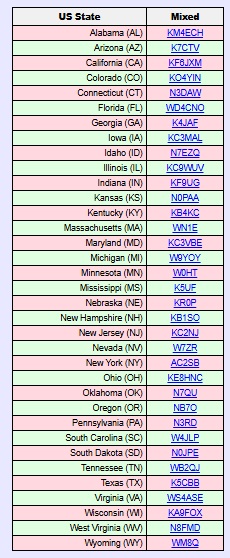
Within about three weeks, I worked 35 states, and my best confirmed DX is Italy.  I’ve used it mostly on FT8 and CW, although I have made those two SSB contacts (from Minnesota to West Virginia and New Hampshire).  I don’t have an external microphone, so I just talk into the radio.  The built-in microphone is at the upper left corner of the radio.

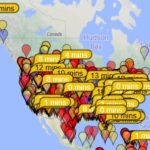
On the left is a list of states that I have confirmed so far, and at the right is a typical display from PSK Reporter showing where my signal was being picked up from my home.
The radio has only one knob, along with a touchscreen.  It came with a fine-point stylus, which is extremely useful.  You can use the type of stylus that you might normally use with your phone, although the fine point is helpful.  Theoretically, it would work with your fingers, but that would be extremely difficult, given the small size of the screen and the large size of most hams’ fingers.
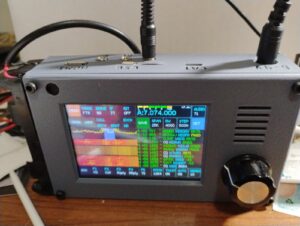
zBitX in operation at W0IS.

zBitX in operation at W0IS.

Basically, you tap on the portion of the screen you want to change, and then use the knob to change it.  So if you want to change frequency, you tap on the frequency, and start spinning the knob.  It does take a little getting used to.  For example, before turning the knob, you might need to adjust the steps, which can be from 10 Hz to 10 kHz.  So to quickly change frequency, you can set the stop to 10 kHz, and quickly go from one end of the band to the other.  The most convenient setting overall is 500 Hz.  To change the step, you click on that field, and then use the knob.  But you need to remember to click again on the frequency display.  So many times, I change the step, but forget to tap the frequency.  So when I spin the knob, only the step changes.

General Coverage Receiver

The receiver covers 500 kHz to 30 MHz, and as far as I can tell, it will transmit wherever it receives.  So you do need to be careful to stay inside the band.  The limited testing I’ve done shown that it performs reasonably well as a receiver, so if you need to listen to the AM radio, the shortwave broadcast bands, or WWV, it will be adequate, although probably not a stellar performer.  But one catch is that changing frequency can take a lot of time.

For example, if you want to listen to the AM broadcast band, you need to tune to the closest ham band, 80 meters.  Then, you need to set the tuning step to 10 kHz, and start spinning the dial to get from 3500 kHz down to the top of the AM band at 1700 kHz.  But you probably didn’t buy the radio to listen to AM, so that shouldn’t be a major concern.

Lack of Power Switch

One quirk about the radio is that it doesn’t have any kind of power switch.  To turn it off, you simply pull the power plug.  That isn’t a concern for a radio, but the computer purists out there will note that it’s not a good idea to simply cut the power to a computer.  And the zBitX is mostly a computer (a Raspberry Pi) with enough additional components to make it send and receive radio waves.  So it’s probably not the greatest way of doing things, but it seems to work.  Every time I’ve plugged the power back in, it comes back to life (after almost a minute of booting up).  When powered off, the radio maintains memory of the logbook, as well as your call, grid square, and settings.  On one occasion, my call sign and grid disappeared when I powered the radio back up.  I assume this is the result of the power-off sequence (or the lack of one).  But other than that, I haven’t experienced any problems.

Power Supply

The radio comes with a built-in battery holder on the side designed to hold two 18650 Li-ion batteries.  I ordered this four pack, which includes a charger, placing the order before the radio came.  It turns out 18650 batteries come in two forms:  a “flat-top” and a “button-top.”  The button-top looks kind of like a AA cell, in that the positive end has a little bump.  the flat-top is flat on both sides.  It turns out that, had I read the instructions, the flat-top was called for, and I ordered the wrong ones.  However, the button-tops worked just fine, although it’s a bit of a tight fit.

The button-top actually has an advantage, since it’s obvious which side is positive.  One thing you never want to do on this rig is hook the power supply up backwards.  Apparently, there’s a diode in the circuit to protect against this.  But there’s no fuse, so a trace on the circuit board leading to that diode is what would get fried.  The takeaway is that you never, never, want to get the polarity wrong!  When you’re putting in batteries, check and double check.

In retrospect, I’m not sure if I would have bought these batteries.  They last for about one hour of normal operation.  Not only are you running the transmitter, but the internal computer is powered up the full time.  Having built-in batteries is somewhat satisfying, since you have essentially a handie-talkie for 80 through 10 meters.  But it’s much more practical to run the radio from an external power supply.  In my case, I use my lead-acid fish finder battery, which allows operation for longer than I ever need it.  But the radio does not operate directly off 12 volts.  Instead, it’s set up for 6-9 volts.  Apparently, it will work with 12 volts, but it’s not advised, because it will stress the voltage regulators inside.  The radio gets very hot as it is, and it’s probably not a good idea to add to this.
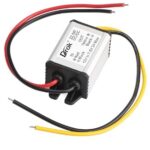
The power supply I'm using.

The power supply I’m using.

So to power the radio, I ordered this inexpensive buck converter, which drops the 12 volts to 7.5 volts.  Edit:  That one is now out of stock, but this one is equivalent.  The power connector on the radio is a 5.5 x 2.1 mm coaxial connector, and I ordered this cable to hook to the converter.  Rounding out the installation, I ordered this 12 volt cigarette lighter cord to connect to the input of the converter.  Once I had this set up, I haven’t used the built-in batteries, although I guess that option is good to have.  But some users might want to make the radio look a little more sleek by removing the battery holder.

Yes, the Receiver Picks up Noise from the Computer.

Other reviewers have noted that the receiver is subject to some noise from the computer (or quite likely, from the display).  This does seem to be true.  I haven’t done any extensive testing, but the receiver seems to be less sensitive than other receivers, probably for this reason.  But for a QRP rig, the receiver seems to be more than adequate.

In fact, the display noise is a bit of a feature, rather than a bug.  When I select something on the touch screen, I can hear it ever so slightly in the receiver audio.  So you get an audible confirmation that you touched the button.

Yes, the Radio Gets Hot.

As noted above, the radio goes through a set of batteries quite fast, and part of the reason is that it’s generating a lot of heat.  This seems particularly true when operating FT8, since it’s transmitting 100% power 50% of the time.  But even on other modes, the radio gets warm.  Some users have come up with various heat sinks, although I haven’t bothered.  I have noticed that if you set the radio vertically, it doesn’t get as warm.  If it’s laying flat, the back gets very warm, and having a little bit of airflow seems to make a big difference.

If you’ve ever had a long ragchew with a 2 meter handheld running 5 watts, you might notice that it also gets warm.  While it’s noticeable with the zBitX, I don’t consider it troubling.

What You’ll Need to Get Started
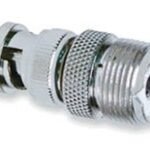
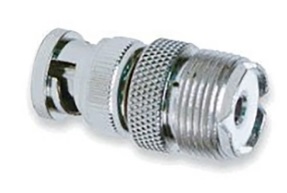
I ordered the batteries while the radio was still on the way, and I was able to get the radio on the air as soon as it arrived.  The antenna connection is a BNC connector, so if your antenna has a PL-259, you’ll need this adapter.

As long as you have batteries and a way to hook up an antenna, you can get on the air immediately on FT8, CW, or SSB.  (Of course, unless you plan on using the CW keyboard, you’ll need a set of paddles.)  However, to unlock other features, you’ll need to use, at least temporarily, an HDMI monitor, a keyboard, and a mouse.  Surely, you can find those in your junkbox, but if not, the preceding links are to cheap but perfectly adequate versions at Amazon.
The radio has a mini-HDMI socket for the monitor, so if you already have an HDMI cable lying around, you will need this adapter.  If you don’t have a cable, you can order this one.

To plug in the mouse and keyboard, the radio has a USB-C connector.  The radio comes with an adapter from USB-C to USB.  (Apparently, some recent purchasers didn’t get that adapter, so you might want to get one on Amazon.)  But there’s only one socket on the radio, so you’ll need a USB splitter to hook them up at the same time.  I suspect that you could get along without this, because I think you could use the mouse, click where you need to, and then plug in the keyboard.

Operating Without Display, Keyboard, and Mouse

As noted above, the external devices are not necessary to get on the air.  If you’re like me, you can be on the air as soon as the radio arrives, as long as you have power and an antenna.  You can use CW right away.  A set of paddles is best, but you could do it with the on-screen keyboard and macros.  FT8 requires no external hardware, and you can use SSB with the built-in microphone.

But there are a couple of setup tasks that are helpful and require connections to the external components.  First of all, you will eventually need to set the time in the zBitX.  This is done over the Internet.  The radio comes pre-set from the factory, and when it arrived, the clock seemed to be close enough for FT-8 operation, which requires that the clock be within about one second.  Interestingly, the hours and minutes were way off from the factory, but the seconds were accurate.  But for the internal logbook to be accurate, you need the date, hours, and minutes.  As soon as you connect to WiFi for the first time, it will automatically set the clock.  I set it up with the home WiFi, but I also had it make the connection to my cell phone hotspot, so that I can use these features away from home.
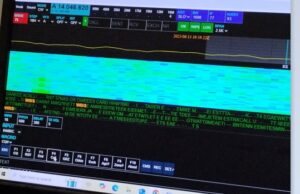
zBitX Web Display.

zBitX Web Display.

Setting up the WiFi is also important for another reason.  If you tire of the small screen on the zBitX, it’s possible to connect to the radio via the web, and use your computer to operate it wirelessly.  In order to do this, the device you are using must be connected to the same WiFi network as the zBitX.  So connecting to WiFi is important if you want to use this feature in the future.  Once you’ve connected to WiFi, this feature will be there an can be accessed whenever you want.  But to do the initial setup, you’ll need the peripherals hooked up.

The zBitX is capable of operating other digital modes (such as PSK31).  But this can only be done with a monitor, keyboard, and mouse connected.   So if you eventually want to use one of those modes (I haven’t done so yet), you’ll need those peripherals.  With the peripherals attached, the radio is pre-loaded with the WSJT software, so if you prefer that over the stripped-down version (especially if you want to use other WSJT modes), you have that option.

It should also be noted that once you have the radio hooked up to monitor, mouse, and keyboard, it is a full-fledged computer.  For example, it has a built-in web browser, and it should be able to run anything else a Raspberry Pi can run.

Also, the zBitX has a built-in log.  FT8 contacts get logged automatically, and you can also add CW or ‘phone contacts.  I haven’t taken full advantage of this, but when hooked up to a monitor, keyboard, and mouse, it’s possible to download an ADIF file.

But 99% of the time, I use the radio by itself, and I used it for over a week before I was able to hook up the monitor.

The Screen is Really Small!
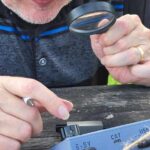
One thing that will come in very handy when using this radio is a magnifying glass!  When you are operating without an external monitor on FT8, the display is tiny, and you might not be able to make out call signs.  Having a magnifier handy really helps.  Also, the display gets overwhelmed by sunlight, so you do need some shade for operating outdoors.

Miscellaneous Glitches

As noted above, the rig does have a lot of software glitches. Once you get used to them, you can work around them and they can be almost endearing, but they are there. Essentially, sometimes, you tell the software to do something, and it doesn’t do it. Here are some of the the ones I’ve encountered.

The most annoying feature is that when you go from transmit to receive, it is not instantaneous. This seems to be the case on all modes. On CW, the break-in appears to be very fast, and you can hear the receiver as soon as you hit the last dit. But the receiver doesn’t regain its sensitivity for almost a full second. For much operating, this isn’t a big deal. But if you are contesting, the other station might have sent your full call sign in that short interval before the receiver comes to life. I don’t consider this to be a major flaw, because in most of my operating (such as POTA activating and chasing), it really doesn’t cause problems.

Another issue is the built-in keyer. Once the speed gets to a certain point, the onboard computer seems to be unable to keep up. So if you send an “H”, you’ll hold down the paddle for what you think is four dits, but the computer will generate three or five. I keep the keyer set to 15 WPM for this reason, even though normally, I would have it a bit faster. I think I could have it at 18 WPM, and it would work most of the time. But the keyer basically isn’t usable over about 20 WPM. So if you’re a speed demon, this rig might not be for you.

Update:  When I originally wrote this, I hadn’t experienced any serious problems with the keyer.  It’s slightly glitchy about about 18 WPM, but normally not bad.  I had seen some reports that the keyer was unusable, and I dismissed these.  However, a couple of times, the keyer on mine was so bad that it was totally unusable.  It was impossible to get the right number of dits and dahs, and it didn’t even work correctly with a straight key (although the macros and keyboard seemed to work fine.  I did find a workaround for this.  If it’s totally unusable on CW, then switch to another mode (FT8) and transmit in that mode.  Then, without switching back to CW, turn off the power and re-start it.  Only after restarting, switch back to CW.  This seems to fix the problem.  It’s not enough to merely restart.  Before restarting, you need to transmit in another mode.

As far as I can tell, the CW keyboard works fine, and doesn’t have any problem.  (You do need to type in rhythm with the radio.  If you get significantly ahead of the sending, it appears that some characters are lost.)  The radio has a number of macros (such as CQ) pre-programmed, and you can use these from the screen.  You can also enter text on the touchscreen, or use an external keyboard.  Keyboard CW isn’t my style, so I haven’t tested this extensively.  But it seems to work fine.

It does have a built-in code reader.  According to the instructions, you need to set the code speed to match what’s being sent.  When it’s set exactly right, the results are very good.  But you will rarely have the speed set right.  Because of the problems with the keyer, you can’t really set it much about 15 WPM and expect to send.  So it rarely decodes correctly.

Use for Emergency Grid-Down Communication
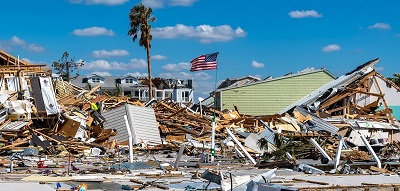
It’s possible that if you had machine-sent code on both ends, you might be able to use the code reader for keyboard-to-keyboard QSO’s.  I haven’t tested this, but it seems like a possibility.   One potential application for this radio would be for someone who wants reliable emergency or grid-down communications between two points with just a Technician license.  I think it would be possible to use two of these on 80, 40, or 15 meters, and with good conditions, I think reliable keyboard-to-keyboard CW might be possible.

On the other hand, it would require quite a bit of practice to get it set up properly.  In particular, I think there would need to be strong signals, and the code speed would need to be set identically on both units.  You couldn’t just put one of these in the “go bag” and expect to be able to start using it after a disaster.  At a minimum, both stations would need to coordinate in advance to make sure both radios are set to the same speed.  I think it would work, but no guarantees.  I have made keyboard QSO’s, but it does take some practice, since many of the functions don’t seem to be documented particularly well.  And even though I’ve done some sending by keyboard, I’ve copied by ear.  Just learning Morse Code is probably easier than messing around with trying to do it automatically, but it probably is possible.

When the received code matches the set speed, it does appear to decode pretty much perfectly.  But if the speed is not set correctly, then the display shows gibberish.   So again, advance practice is absolutely necessary.   But for most casual hamming, the code reader isn’t particularly useful.

Another method of possible grid-down communication is with the use of FT8, which allows transmission of very short text messages under very marginal conditions.  The FT8 protocol allows messages of up to 13 characters.  If you just want to tell someone you are safe, or let them know a location where you want to meet, this can be more than adequate.

I haven’t experimented with whether it’s possible to enter such messages without hooking up an external monitor.  However, it is quite simple to enter two elements of the message without any external hardware:  The call sign, and the 4-digit grid square.  I attempted some contacts on Field Day with FT8, and as can be shown from the map here, I was getting out, although not as well as I do at home.  I didn’t manage any actual QSO’s on FT8, as after trying for a while, I went back to CW where it was much more productive.
But even off the shelf, you can send messages of up to about 8 characters (using a designator after your call and changing the grid square), certainly enough to let a pre-arranged contact know that you are OK.

It should be noted that use of FT8 (other than on 10 meters) requires at least a General Class license.  But if you’re going to all the trouble of doing this, learning the material for an additional 35 test questions isn’t much to ask.  (We should note that while it may or may not be true that you don’t need a license after “TSHTF,” you definitely do need a license before that day.  And if you expect to use a radio like this to communicate even somewhat reliably, you will need to get a lot of practice, and that practice needs to happen long before anything hits any fan.)

It should also be noted that FCC rules prohibit the use of “messages encoded for the purpose of obscuring their meaning.”  So you’re not allowed to send secret message in your transmissions.  But there’s nothing inherently wrong about sending a short message, one word at a time.  So a radio like this, with a simple antenna, could be a very reliable method of short messages without any additional hardware.

Software Glitches

The software occasionally simply fails to do what you want it to do. For example, if you shift modes to CW, the display might still be showing that it’s set up for SSB. When this happens, you can simply try again, and it seems to fix itself. For example, if I go from FT8 to CW, the display might be showing a display relevant for SSB. When this happens, I select another mode (for example, FT8 again), and then try again going to CW. Invariably, the problem corrects itself.

These little glitches don’t seem to be consistent, but there is one glitch that always seems to happen. When I get on the air, I often like to start on the highest band and work my way down. But when I power up the rig and go to 10 meters, there is zero power output when I transmit. If I go to another band and transmit, even for just a second, and then go back to 10 meters, it’s working fine. So what I’ve taken to doing is starting out on 15 meters, putting out a CQ or two, and then going back to 10 meters. After the radio is “primed” in this fashion, it seems to work fine on 10 meters.

The built-in FT8 software seems to work fine, but it has its own idiosyncrasies.   As with the  WSJT software you’re probably familiar with, there is a window show the band activity.  So if you see someone calling CQ, you can click on their call, and it will automatically call them.  But curiously, the display doesn’t seem to show all band activity.  In fact, it doesn’t seem to show stations who are calling you.  When someone does call, their call sign shows up in the logging window, and if they successfully send your report, that shows up in the logging window.  And sometimes, the radio automatically sends “73” at the end of the QSO, and sometimes it doesn’t do this automatically.

Also, the list showing band activity can be difficult to navigate.  When you want to scroll to the bottom, it frequently resets all the way to the top.  So to see the most recent activity, you need to turn the little knob repeatedly until it scrolls down to the bottom.

As noted above, you can control the radio from another computer (or tablet or phone) using the web browser, as long as both are hooked to the same WiFi network.  But, like some other features, this one is glitchy.  Sometimes it works great, and sometimes it doesn’t work at all.  Eventually, I’m sure I’ll figure out the problem, but like with everything on this rig, there is a learning curve.

Conclusion

Overall, I’m still amazed at what this radio will do for the money.  Since it came, it’s the only radio I’ve used, and I’ve made hundreds of contacts with it.  I don’t think I would recommend this as your only radio.  As noted above, it has a lot of glitches.  It’s not designed for the appliance operator, and there’s an understanding that some hacking of both hardware and software will be necessary.  In fact, it comes with the Allen wrench necessary to open up the case.

Having said that, I am essentially an appliance operator, and I haven’t had to resort to that Allen wrench, nor have I had to go poking around the software.  But I am a reasonably experienced ham, and at least I know when it’s being glitchy and I need to try again.  For someone without experience, this radio might be an exercise in frustration.

As long as you are aware of the limitations, I think you will be amazed at what this little radio will do for the money.


Amazon links on this site are affiliate links, meaning that this site earns a small commission if you make a purchase after using the link.

POTA/WWFF/U.S. Islands: Rock Island State Park, WI

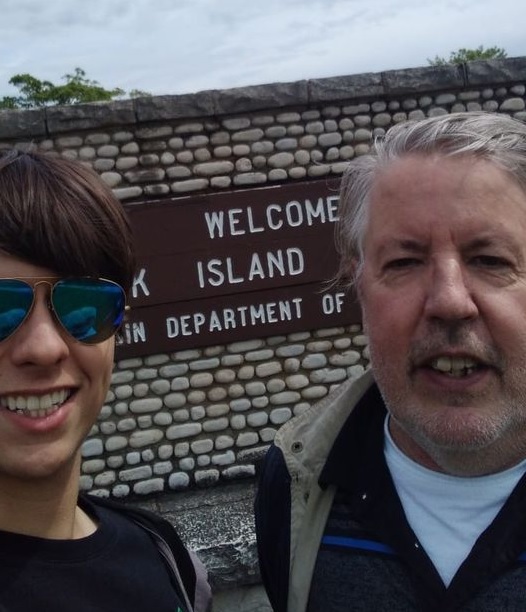
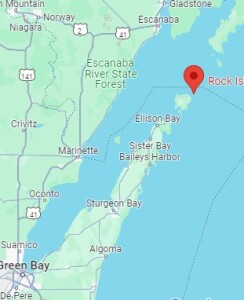
RockIslandRockIslandMapOver the Fourth of July weekend, my son and I decided to make a spur-of-the-moment camping trip to Rock Island State Park, Wisconsin, which is at the northern tip of Door County and at the entrance of Green Bay. It’s a state park accessible only by boat. Unless you have your own boat, you take a car ferry from the mainland to Washington Island, drive across that Island, park your car, and then take a passenger ferry to Rock Island.  No reservations are required for either ferry, and they add as many boats as necessary to accommodate the traffic.  We bought a round trip on both ferries at the dock, and the cost was about $90 for one car and two passengers.

cartThe campground is about a quarter mile from the boat landing, and the park provides carts, shown here, to move your stuff. My son did the hauling, and we quickly had our campsite, which was right on the shore of Lake Michigan, set up.

Like most state park campgrounds, sites fill up fast, especially on a holiday weekend. But when I checked two days before arrival, there were sites available for both Friday and Saturday night. They were different sites, meaning we would have to move after the first night. But fortunately, the occupants of one of the sites had left early, and after checking with the campground host and warden, we were allowed to have the same site both nights.

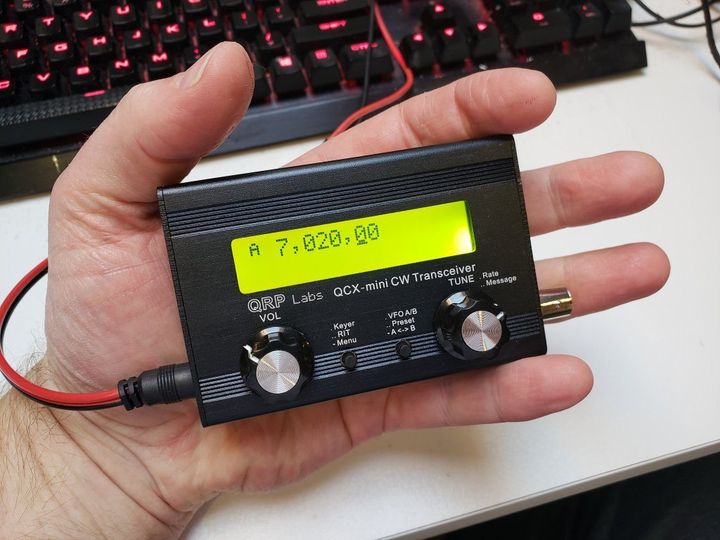
Of course, it wouldn’t be a camping trip without bringing a radio, and I brought along the QRP Labs QCX Mini, shown here. This is a handheld CW transceiver for one band (in my case, 40 meters). For the power supply, I brought along my fish finder battery, which I also used to charge my cell phone. (We did have good cell phone service from most of the island, including the campground, through Boost Mobile.  My son, on the other hand, who has service through Tello, had no signal, so your mileage might vary.)

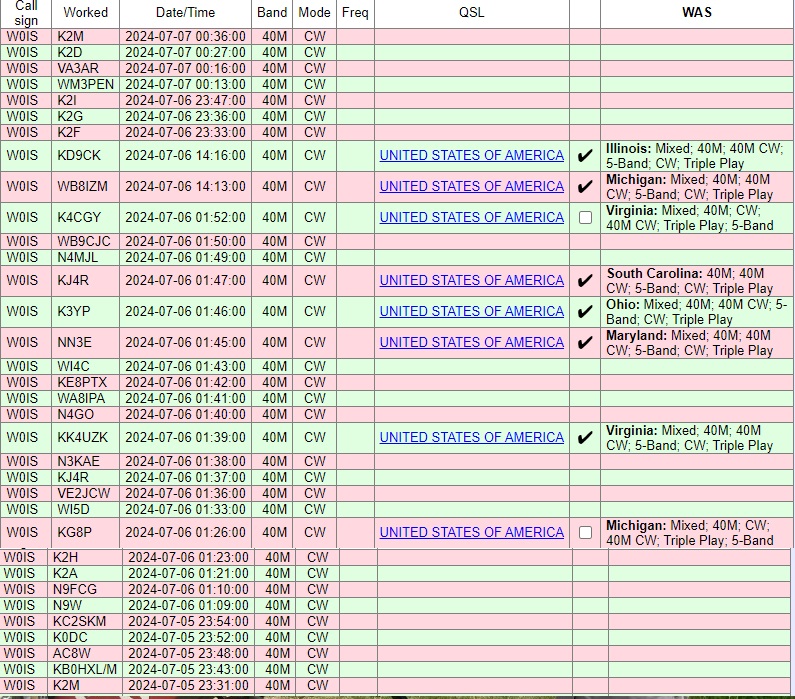
I made a total of 33 radio contacts over the course of a couple of hours, covering the eastern half of North America, from Quebec to Georgia.  If I had stayed up later, I would have been able to work the western United States.  But 40 meters covers long distances best at night, and I shut down around local sunset, meaning the West Coast didn’t have a chance to work me.  Ideally, I would have been on 20 meters as well for some daytime contacts, but I wanted to keep the station size and weight to a minimum.  The complete log is shown below.

GolfBallRetrieverI used my usual antenna, namely, a dipole supported by my trusty golf ball retriever leaning against the picnic table, with the two 33-foot wires extending out from the table.  The wires were actually just draped over tree branches.  You don’t need an elaborate antenna to get out well.  Despite the various reasons that it shouldn’t work (too low, touching trees, etc.), it got out very well.

You will notice that many of the contacts are with 1×1 call signs who, along with WM3PEN, were taking part in the 13 Colonies special event.  If you are doing a park activation during a similar event or contest, that’s always a good opportunity to put some contacts in the log.

Our campsite

Our campsite

Other notable contacts included WB8IZM, who was operating from another park, Potagannissing Flooding Wildlife Management Area near Sault Ste. Marie, Michigan, and KB0HXL, who was operating from his car in Indiana.

I’ve always enjoyed operating from remote locations with portable equipment, an activity which has gotten easier over the years with the advent of radios such as the QCX.  It’s also become a very popular activity.  Starting in 2016, the National Parks On The Air (NPOTA) activity was extremely popular, and after it ended, many American hams continued, thanks to the WWFF (World Wide Flora and Fauna in Amateur Radio) activity that had started to enjoy popularity in Europe.  Shortly thereafter, a separate program, Parks On The Air (POTA) has become extremely popular.  In addition, since I was on an Island, I was able to participate in the U.S. Islands Award Program.  I was able to hand out contacts for all three programs.  I didn’t make the required 44 contacts to make it an official activation for WWFF, but I was able to meet the minimums for both POTA and US Islands.  If I had been able to get on 20 meters, I’m sure I would have made many more contacts, but as it was, I was able to give credit for a fairly rare park.

And even though we had cell phone coverage (except for a brief outage on Sunday morning), it’s reassuring to know that, in case of emergency, we have a reliable method of communications with the outside world.

Rock Island boathouse (43110794831)Rock Island was originally developed as the vacation getaway of inventor Chester Thordarson, founder of the transformer company that bears his name.  He built the iconic boathouse shown here, which serves as the terminal for the passenger ferry.  The campground is located about a quarter mile away, with a more distant backpacking campground somewhat further away.  We also hiked to Pottawatomie Light , Wisconsin’s oldest lighthouse, dating to 1836.  The lighthouse is about 1.5 miles from the campground.

With carts available, setting up camp on foot was relatively easy.  Unlike backpacking, where you have to consider every ounce, the carts made the trip fairly easy.  It would have worked a bit better to bring a wagon from home, since we could have just packed it once before getting on the ferry.  Also, the provided carts were somewhat heavy, and a wagon probably would have been a bit easier to move.  Large wheels are important, because the paths on Rock Island are, well, rocky.  I was initially thinking of just packing things in a roll-on suitcase, but this would have been a bad choice, since the wheels would have just been too small.  We used an inexpensive tent and air mattress.  The ground is covered with roots and rocks, so some kind of pad is a must.

Flush toilets are available near the boathouse, and the campground has vault toilets.  Drinking water is available near the boathouse.  We realized on the way that we hadn’t brought a water container, so we just bought a one-gallon jug of water and filled it as needed.  Firewood is available on the island for $7 (cash only),  We used that for most of our cooking, although I did some of it on the emergency stove I previously reviewed.  I discovered that four fuel tablets were about enough to boil enough water for oatmeal and coffee.  We had only a very small cooler, so for the first night, we cooked some brats on the fire, but on the second day, we ate packaged food such as ramen noodles, to which you just add hot water.  Another convenient meal choice was a prepared meal such as Hormel Compleats.  These avoid any cleanup, since you can just put the sealed meal in a pot of hot water.  Packets of meat such as the pulled pork we previously reviewed are also easy to cook this way.

There is a very small camp store on Rock Island, but other than a few bags of chips and a few Clif bars, they don’t sell food or camping supplies.  It’s mostly souvenirs and apparel.  So you do need to plan ahead.  But as long as you do your minimal planning, Rock Island provides an opportunity to easily do some camping completely off the grid.

RockIslandLog

x


Some links on this site are affiliate links, meaning this site earns a small commission if you make a purchase after using the link.

Field Day 2023: Greenberg Island, Wm. O’Brien State Park, MN

2023FDoperatingThis past weekend was ARRL Field Day, an operating event in which Amateur Radio operators set up in the field and see how many contacts they can make with portable equipment. It’s mostly a fun activity, but it also serves as a test of emergency capabilities. For many, this involves hauling large equipment, often powered by a gasoline generator, and setting up large antennas.  Often, large groups are involved in these operations.  It’s been around since 1933, so this year’s running marked the 90th anniversary.

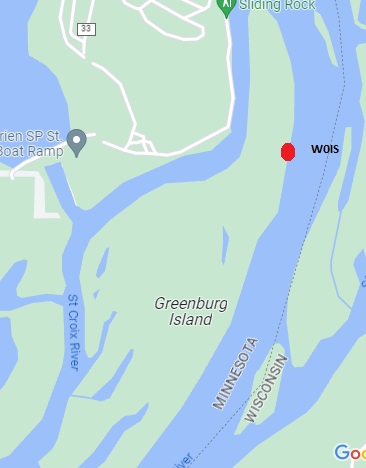
2023FDmapI prefer a simpler approach, and set out by myself or a smaller group with equipment that I can easily carry and quickly set up.  This year, instead of just driving to a park, I decided to operate from an island accessible only by boat.  In particular, I operated from Greenberg Island in the St. Croix River, part of William O’Brien State Park, Minnesota.  The plan was for my wife and I to do the operation, bringing our canoe from home.

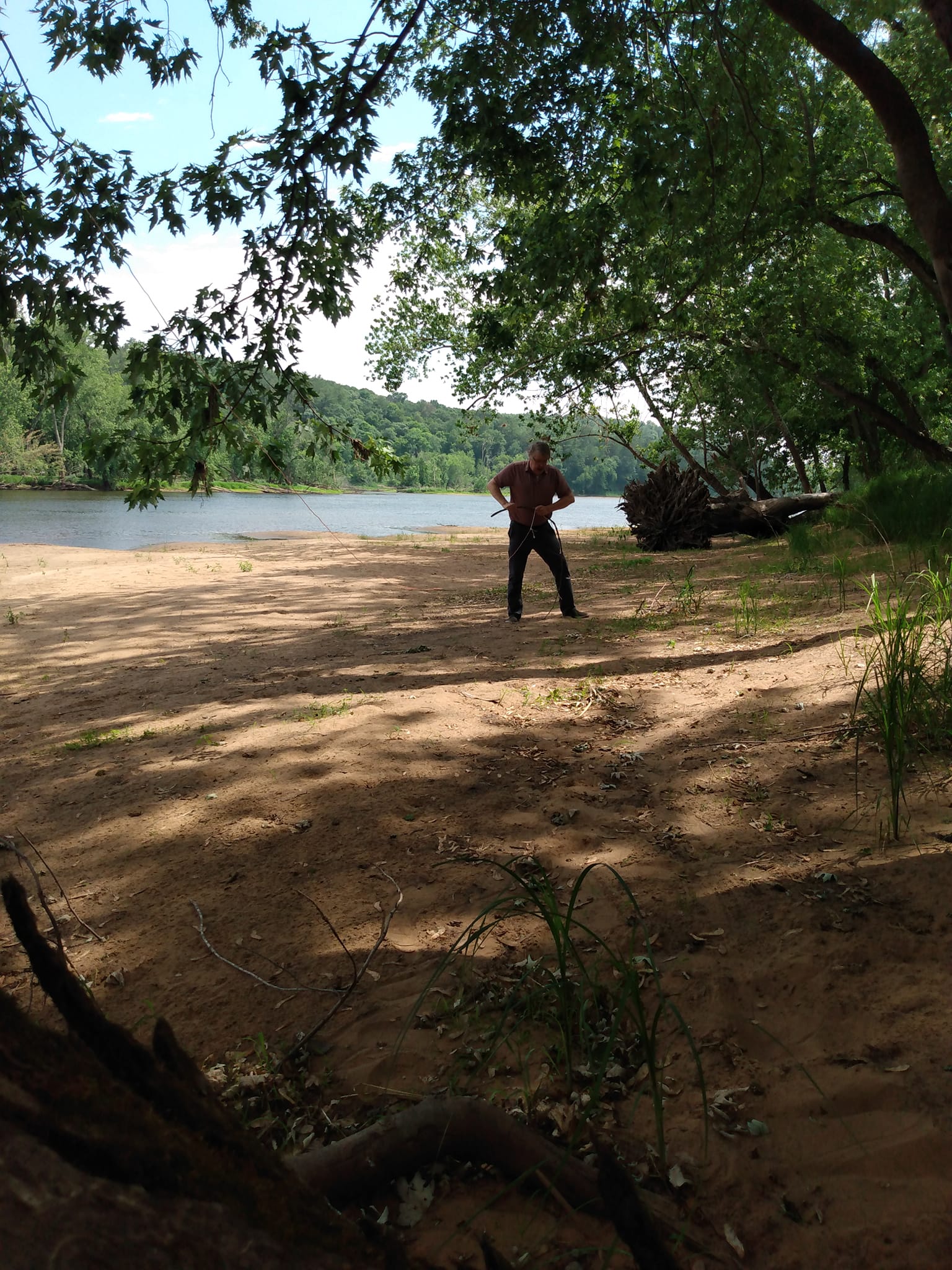
Setting up one end of my antenna. I'm breaking of a stick which I used as a stake to anchor it in the sand.

Setting up one end of my antenna. I’m breaking of a stick which I used as a stake to anchor it in the sand.

The initial weather reports didn’t look promising, so we decided not to take the canoe, and instead just operate from the mainland. But while driving there, the weather looked fine, so we decided to rent a canoe and activate the island as originally planned.

The island has been part of the park since 1958.  When I was a kid, there was a pedestrian bridge linking it to the mainland, with a trail covering part of the island.  Exploring the island was always a fun part of a trip to the park.  The bridge is long gone, and the only way to access it is by boat.  I did check first, and it’s perfectly legal to land there, although it is posted “No Camping.”  And not having been there for about 50 years, it was fun to explore the island again, but there was no trace of the old trails.

There were a few human footprints on the beach, but not many.  At the beach where we landed, there were deer footprints, as well as either a dog or a wolf.  The only other sign of humans was a fairly recent mylar balloon reading “happy birthday” which had landed in the brush just off the beach.  I inspected it carefully to see if it carried a note.  Unfortunately it didn’t, so I just picked it up and took it to a trash can on the mainland.

I was on the air from about 3:30 – 5:00 PM, and the weather held up fine. It started looking like rain and we headed back. We had a few drops of rain, but it didn’t start pouring until we had just left the park on the way home.

We found a beach on the east side of the island, and set up there. I used the QCX Mini, running 5 watts on 40 meter CW, and worked about 20 contacts.  The antenna was an inverted vee supported my trusty golf ball retriever shoved into the sand and leaning against a tree.  The power source was a fish finder battery.  I did purchase it new for Field Day, since the previous one was showing signs of wear after 7 years of abuse.

I forgot to bring a folding chair (although my wife remembered hers and was able to relax while I operated).  The fallen tree shown above served as a suitable substitute.

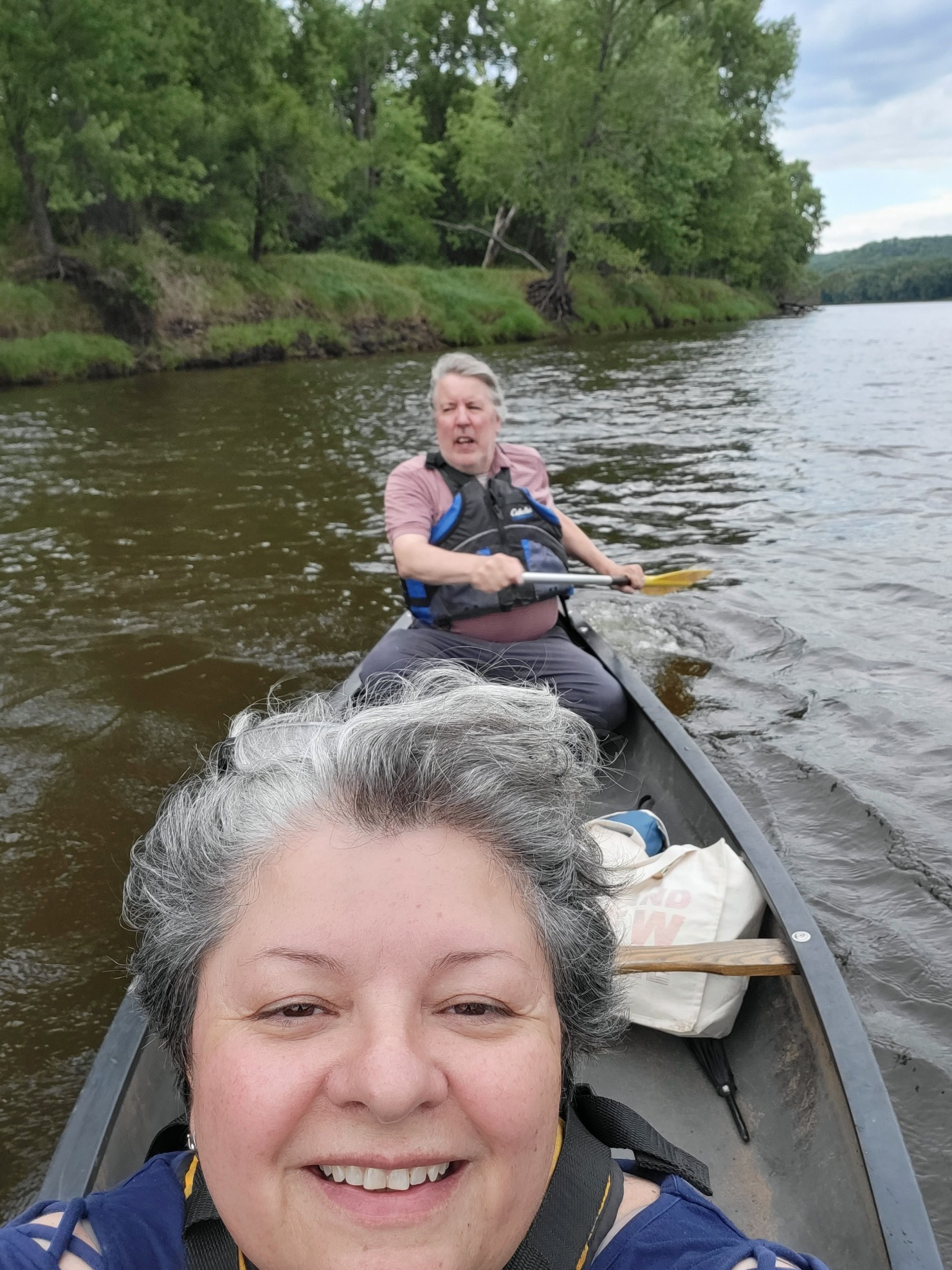
Heading home. KC0OIA at the bow, W0IS at the stern.

Heading home. KC0OIA at the bow, W0IS at the stern.

Best DX was Alabama, I believe. In addition to working Field Day, I submitted the logs for Parks On The Air (POTA), WWFF-KFF, and U.S. Islands Awards Program. This is the first time the island has been activated, and since we went over the magic number of 15 QSOs, it will count as being “qualified” for that program.

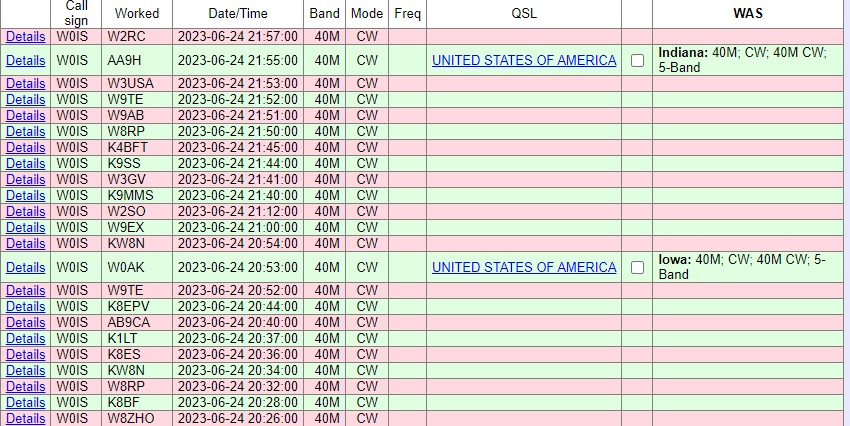
Thanks to the stations shown below, some at home, and some out in the field, for pulling in my 5 watt signal.  If you look carefully, you’ll see three dupes.  All of my logging is pencil and notebook, so sometimes it’s hard to remember who I just worked.

Will I ever save the world with my communications abilities?  Probably not.  But it’s good to know that with equipment I can carry with me, just a few minutes setting up, and a battery found in any car, I could get messages out to my friends and relatives in case of disaster, and could do the same thing for my neighbors.

Log2023FD


Some links are affiliate links, meaning that this site earns a small commission if you make a purchase after using the link.

Winter Field Day 2021

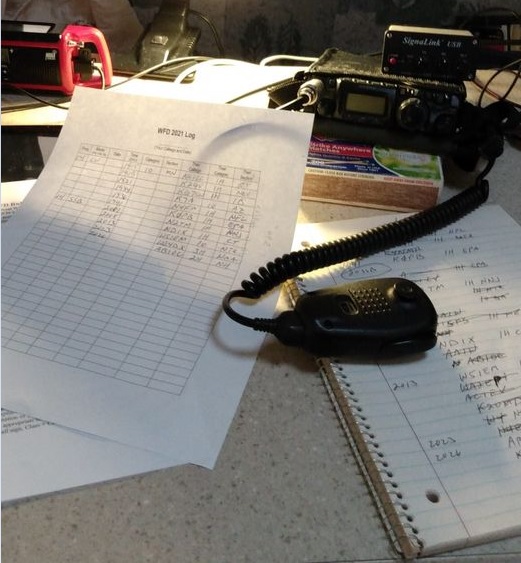
WFD1This previous weekend was Winter Field Day.  While this event is billed as an emergency preparedness exercise, it’s also simply a fun opportunity to get on the air from a portable location, and make the most of limited resources.

As happened with ARRL Field Day this past June, the event was affected by COVID-19.  Since the pandemic generally prevents operation as a group, many who would have otherwise participated stayed home.  But in my opinion, being part of a group is not what defines this event.  The event is not called “Group Day,” it is called “Field Day.”  The focus is operating from out in the field somewhere.  And while groups of people can be dangerous because of COVID, there is absolutely nothing that is unsafe about a field.  I was completely socially distanced during the entire event.  I saw a few other campers and said hello to some of them from 50 feet away.  As I’ve previously written, camping is an excellent safe way to travel during the pandemic.

As an emergency preparedness exercise, it seems to me that it was best to adapt to the actual emergency conditions.  Because of COVID, it wasn’t possible to do it as a group.  But in many emergency situations, a group of helpers might not be available to set up a station and get it on the air.  It seems to me that the ability to get a station on the air, even a minimalist station, without outside assistance, is a valuable skill in an emergency.

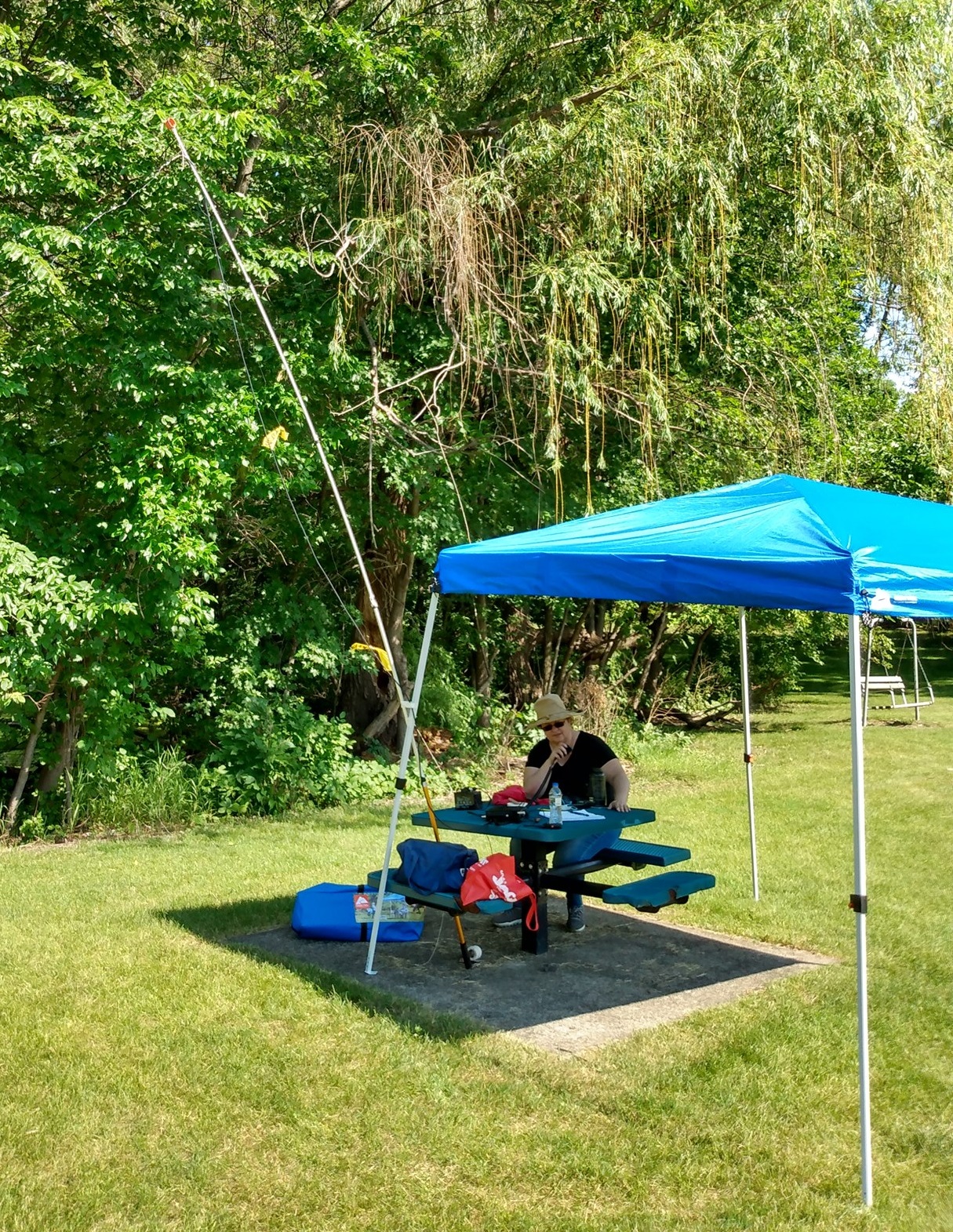
FD1For summer Field Day, my wife and I operated for an hour or two from a city park, shown here.  If it weren’t for all of the naysayers lamenting that they had to stay home for Winter Field Day, I probably would have done something similar and just operated for a while from the back yard, or maybe again from a city park.  But since so many people were lamenting that it was impossible to truly go out and operate away from home, I decided to do a winter camping trip in our popup camper.

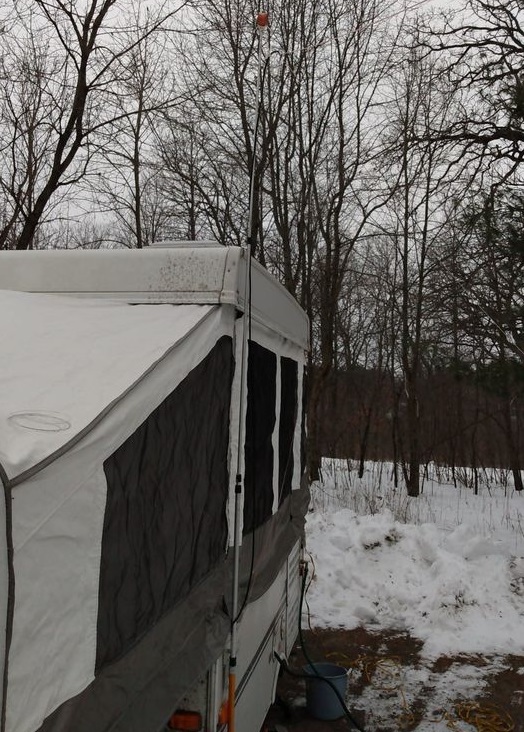
I made reservations for William O’Brien State Park, which is only a 45 minute drive from home.  The temperature never got below 20 degrees, and it was actually a very nice weekend for camping.  There were several other campers in the campground.  I spotted three RV’s, as well as three family groups camping in tents.  Also, I believe at least one of the park’s cabins was occupied.  So at least a few non-hams were undaunted by being in the field in the middle of winter, in the middle of a pandemic.

Even though it’s not insulated, the popup camper stays quite warm inside with electric heaters and/or the furnace running.  Since I was paying for the electricity anyway, I used two electric space heaters.  One was plugged into the outlet in the camper, which was hooked up to the campground’s 30 amp circuit.  The other heater was plugged into a separate extension cord going to the campground’s 20 amp circuit.  Therefore, if needed, I could run both heaters full blast.  When I needed the electricity for cooking, I temporarily unplugged one of the heaters.  There was a light dusting of snow Sunday morning, but the camper’s canvas was bone dry by the time I folded it up.

WFD2I didn’t set out to make hundreds of contacts.  In fact, after making the first one, which happened to be with Rhode Island, I felt like I had proved the concept.  But I was on the air for a total of about three hours out of the 24 hours of the contest, and made 27 contacts with 14 states.

Only eight of those contacts were with other portable stations.  Six were outdoors, and two were indoors but at temporary locations.  I’m grateful for the other 19, who were operating at their home stations, since they gave me someone to make contacts with.  But I feel a little sorry for them that they didn’t figure out some way to operate in an actual field for Field Day, even though they couldn’t do it as part of a group.  Also, I was a little bit mystified to hear home stations working other home stations, while calling it Field Day.  For previous Field Days when I’ve stayed home, I’ve often made some contacts, but since it’s Field Day, I’ve made a point to seek out stations who were actually in a field.  There are contests almost every weekend that are geared up for home stations to work other home stations.  I guess I don’t see the point of ignoring those opportunities, and then getting on only for a weekend called Field Day.  Again, I was grateful that I had stations to work, but I really didn’t get the point of home stations spending the whole weekend working other home stations.

My original plan was to use dipoles for 20 and 40 meters, along with a quarter wave wire for 80 meters.  The 80 meter wire was a bust, and didn’t really get out, due undoubtedly to its very low height and lack of much of a ground system.  But the dipole for 20 meters did a great job, and I made all of my contacts on that band.  You can see (just barely) that antenna at left.  It’s held up at the center, inverted-vee style, with my telescoping golf ball retriever, and the ends are tied loosely to some bushes that happened to be at about the right spot.  I was running low on wire before the contest, so I ordered a roll of speaker wire that did the job.  I cut it to the proper length of about 16-1/2 feet, and then unzipped it when it was in place.  I thought I had forgotten to bring a tape measure (it turns out there was one in the toolbox), but I used a six-inch ruler to measure the table, and then used the table to measure the wire.

My original plan was to put up a 40 meter antenna as well, but when 20 meters closed in the early evening, I decided to simply call it a night, and made a few more contacts Sunday morning.  As with most of my NPOTA activations, I operated mostly CW, but also made a few SSB contacts.  I also made one PSK-31 contact using my tablet computer and the DroidPSK app.

My station consisted of my Yaesu FT-817 powered by a fish-finder battery, which still had plenty of charge left at the end of the contest.  The one digital contact was made possible with the Signalink USB interface, which performed flawlessly with the inexpensive RCA tablet computer.  For some reason, the tablet’s keyboard didn’t work very well with the DroidPSK software, so I had to use the touchscreen, which seemed like a rather laborious process to me.  I probably could have made the process much easier by setting up some macros in advance.  But for the first time using it, I was glad that I was able to make my first ever portable digital contact.

As you can see in the picture above, I needed something to prop up the radio on the table, and a box of matches did a perfect job with this important task.

Am I going to save any lives with my ability to operate a portable station?  Almost certainly not.  On the other hand, if there is ever an emergency, large or small, that makes other forms of communication impossible, I know that I am able to send messages to friends and relatives in other states.  I can do it formally by checking in to a National Traffic System net, or I can do it informally simply by working someone and asking them to make a phone call or send an e-mail for me.  I can also do that for neighbors who want to let their friends in other states know that they’re safe.  I’m also well equipped to receive information from the outside world simply by knowing that I can power up a broadcast receiver to listen to either local or distant stations.  It’s unlikely that I’ll ever have a need, but it’s good to know that I have the ability.

The point of exercises like Field Day is to show that hams can adapt to emergency situations and still be able to communicate.  COVID has shown us that there are some emergencies where you are cut off from the group that normally helps you establish communications.  Can you adapt and still communicate if you are cut off from both this group and your normal station setup?  Field Day and Winter Field Day during COVID gave me the opportunity to show that I can.

Here’s a short video tour of my setup:


Some links on this page are affiliate links, meaning that this site earns a small commission if you make a purchase after clicking on the link.


1970 Multiband Mobile Antenna

1970AugustPE

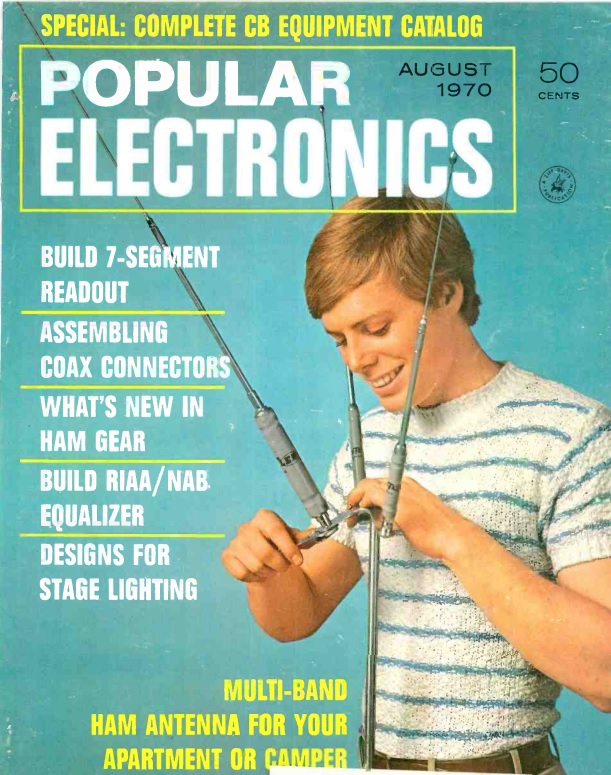
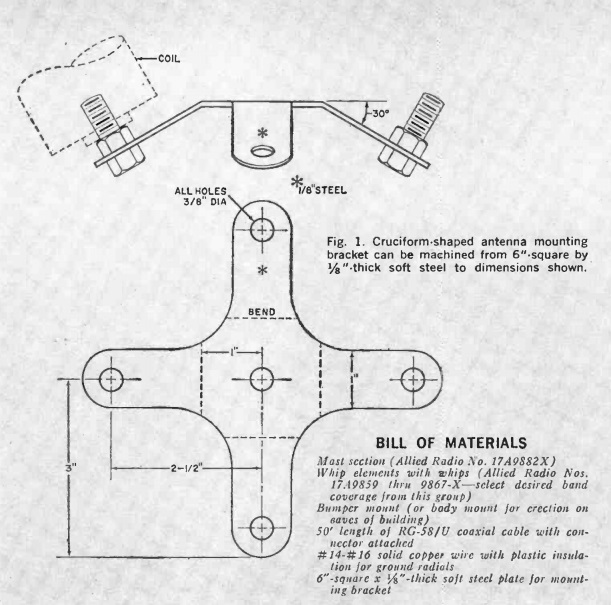
1970AugustPE2This month marks the 50th birthday of a pretty good idea, as evidenced by the cover story in the August 1970 issue of Popular Electronics. The article was penned by Russ Alexander, W6IEL, who was likely the originator. The article specifically addresses how to use a compact antenna from an apartment, and it makes use of Hustler mobile antennas.

The Hustler antenna is still available today, in more or less identical form. It amounts to a center loaded vertical antenna. The bottom half is a mast that attaches to the car. On top of that is a loading coil, and on top of that is a whip antenna. The loading coil and whip are tuned to a specific band. And because you need different coils and whips for different bands, the coil and whip are sold as a one-piece resonator.

So it’s fairly easy to change bands: You stop the car, get out, and swap out the resonator. But that doesn’t work very well if the antenna is mounted on the roof of your apartment building. And it doesn’t work very well if you want to change bands without getting out of the car.

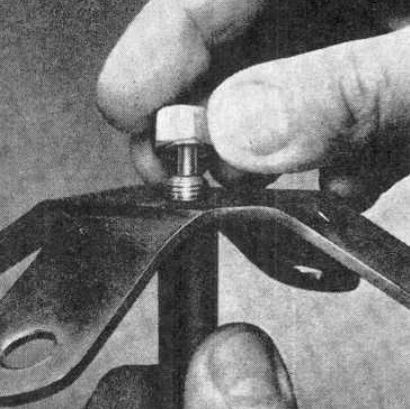
1970AugustPE3So the author went to his metal shop, and made a piece which allowed him to mount up to four resonators on the same mast. For bands that are not being used, the coil acts as a trap, so the unused resonators have little impact on the transmitted signal.

The idea caught on. I first remember seeing one of these as a young ham in the 1970s in the parking lot at a hamfest on the car of prominent Minnesota ham Tod Olson, K0TO (then W0IYP). I remember thinking that it was a pretty good idea. Chances are, it originated with the magazine article shown here.

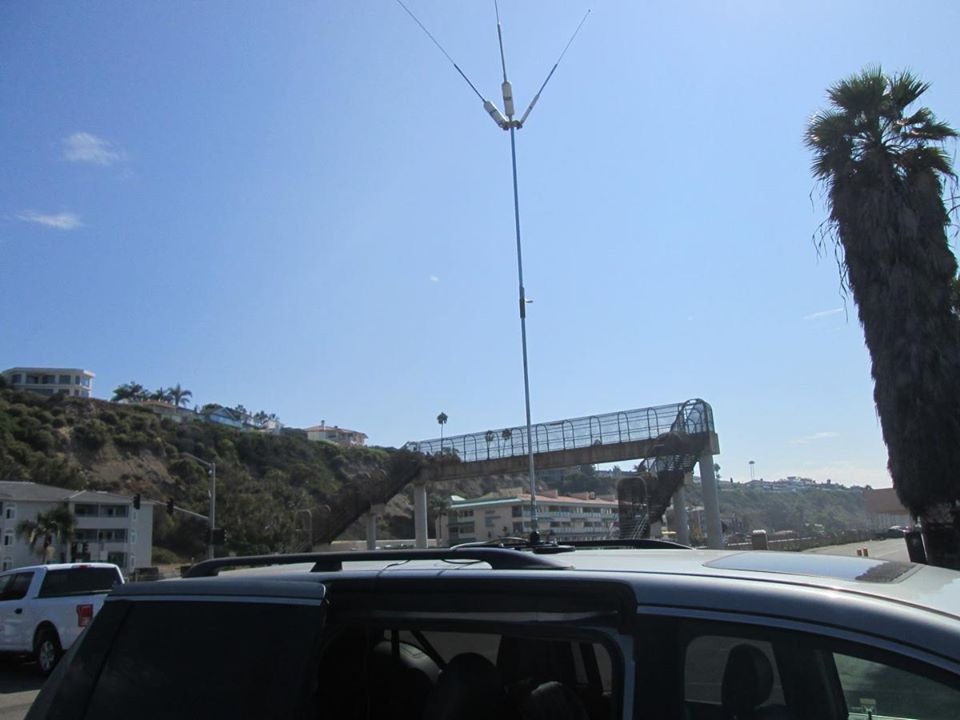
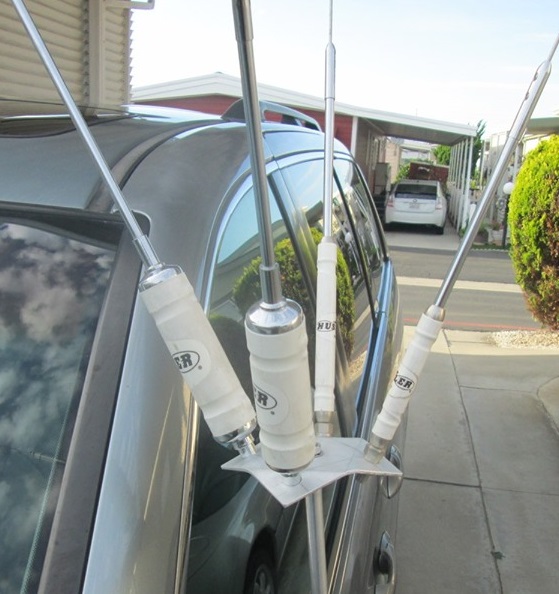
W6LENShown in these pictures W6LEN2is the mobile antenna of W6LEN, an avid WWFF activator of Southern California parks and beaches. He uses the Hustler mobile antenna on a magnetic mount on top of his minivan. While the magnetic mount is probably too small to use in motion, he has had good success with this antenna, and it takes only a few minutes to deploy when he arrives at his destination.  As with the 1970 article, he uses a homemade bracket to mount the four resonators.

Hustler eventually realized that using multiple resonators was a good idea, and they now sell the part, shown at right, so you don’t have to have your own metalworking tools. The author of the 1970 article recommended having the part plated with copper and then cadmium, after which “the finished bracket will look like a commercially marketed item.”  The 1970 Popular Electronics version had room for four resonators, whereas the commercial product has only three wings.  However, a fourth resonator can be added in the middle.



Post-Eclipse Report

Minutes after totality.

Minutes after totality.

The total solar eclipse was awesome, and well worth the trip to Hastings, Nebraska!

Travel Report

We left Minnesota on Saturday and drove to Fremont, Nebraska.  The traffic was noticeably heavy on both Interstate 35 and Interstate 80.  Many of the vehicles we saw were obviously eclipse chasers, with cars packed full of camping gear.  The heavy traffic was very apparent when we turned off onto I-680 to get to our hotel room in Fremont.  That highway was deserted, which appeared all the more eerie after witnessing the extremely heavy traffic directly on the route to the path of totality.  On Sunday, traffic was heavier still as we moved back onto the interstate, but was still moving at posted speeds.

We were in position by Monday, so we didn’t experience traffic the day of the eclipse.  It was reported to be heavy, but with no major delays.  The only eclipse-related traffic issue was an announcement on the radio that the Nebraska Highway Patrol had closed both I-80 rest areas near Grand Island for safety reasons.  Gasoline and other supplies were readily available at normal prices.

According to reports, traffic was heaviest after the eclipse as hundreds of thousands of visitors headed home.  Still, no major issues were reported, and traffic, while somewhat slower than normal, was moving along well.  We drove home Tuesday.  While traffic appeared normal by the time we were on the road, many cars were obviously those of other eclipse chasers, as evidenced by the camping gear filling many of them.

Viewing the Eclipse

The eclipse in Grand Island. NBC Nebraska.

The eclipse in Grand Island. NBC Nebraska.

On Monday morning, we set up in American Legion Park in Hastings, a small city park just across the street from our hotel.  Other viewing areas were packed, but we shared the park with only about a dozen other visitors, mostly from Minnesota, Wisconsin, and Iowa.   There were street lights on the neighboring road, but we stayed clear of them and they didn’t present any obstacle to our viewing.

We didn’t bother trying to take photos of the eclipse.  We only had two minutes, so rather than fiddling with cameras during that time, we simply enjoyed the spectacle and left the photography to professionals.

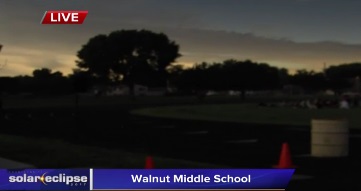
The best representation I’ve seen so far of what we experienced is from NBC Nebraska at this link.  if you click on Part 3 of the video at that link, and then advance to the 4:00 minute mark, you’ll see a live report from a Middle School in Grand Island, about 20 miles north of where we were.  The video does a good job of capturing the darkness of the sky, as well as the reaction of those present.  The video doesn’t do justice to the corona itself, but all of the other elements reflect very well what we witnessed.

It’s also evident from the video what I kept saying before the eclipse: The eclipse was something that kids needed to see!  The reaction of the middle school kids in this video was overwhelming, and the eclipse is something that they will never forget.  It’s a shame that some schools locked their kids inside rather than taking them to see it.  There are now undoubtedly many future astronomers and scientists among the kids in Grand Island and other places where enlightened educators made it a unique learning experience.  The kids who were left inside for the eclipse did not get that inspiration, and any school administrators who took that approach should be ashamed of themselves.

In Hastings, there were thin scattered clouds throughout the morning.  However, with the cooling caused by the eclipse, the sky was clear during totality, the clouds not reappearing until about 10 minutes later.   It was noticeably cooler starting a few minutes before totality.  Even though the surroundings were not noticeably dimmer to the human eye until just before totality, the direct sunlight didn’t feel warm as it had in the morning.

We saw the diamond ring both before and after totality.  I did not see Bailey’s Beads, nor did I see any shadow bands.  The horizon in all directions had the orange glow of sunset.  Venus was plainly visible.  I didn’t notice it before totality, but it persisted for a couple of minutes after the sun returned.

Radio Experiments

EclipseQSOPartyAs shown here, I was doing my part for science by operating in the HamSci Solar Eclipse QSO Party.  Along with other amateur radio operators, I was operating in this event to generate data which researchers will use to understand the ionosphere and how it was affected by the eclipse.  Radio signals are reflected by the ionosphere, and the effect varies depending on frequency, and depending on the amount of solar energy hitting the ionosphere.  The eclipse gave a rare opportunity to show the effects when the amount of solar energy varies over small areas, such as the path of totality.  I concentrated mainly on making short transmissions to be picked up by remote receivers.  Some of these receivers are connected in real time to the Reverse Beacon Network, which displays received signals almost immediately on the Internet.  Unfortunately, my signals were not picked up by these stations, but other software-defined receivers were continuously recording the radio spectrum, and it’s likely that my transmissions were recorded and will be available at a later date.

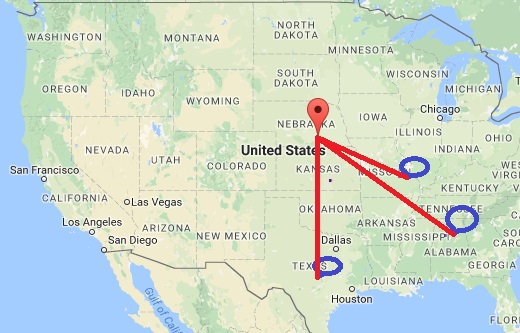
I didn’t spend much time trying to make two-way radio contacts, but I did make three contacts, which are shown on this map:

seqpmap

All three of these contacts were made before totality.  I was operating on the 40 meter band (7 MHz) with only 5 watts of power, and the distances of these contacts does seem much greater than would normally be expected that time of day.  The most distant contact was with WA1FCN in Cordova, Alabama, 776 miles from my location in Hastings, Nebraska.  We made this contact at 12:29 PM local time, about 30 minutes before totality.  It seems likely that this contact was possible only because of the eclipse.  The contact with N5AW in Burnet, Texas, 680 miles away, was made at 12:10 local time, and the contact with W0ECC in St. Charles, Missouri, 438 miles away, was made at 11:08 local time.  In all three cases, the partial eclipse was underway at both locations when we made our contacts.

The HamSci researchers at Virginia Tech will have a lot of data to analyze, but I think it’s clear that the eclipse was having an effect on propagation.  The 40 meter band is generally limited to shorter distances during the day, and the path lengths here seem more consistent with the type of propagation normally seen in the evening.

For those who are interested in the details, my station consisted of my 5 watt Yaesu FT-817 powered by a 12 volt fish finder battery.  The antenna was a 40 meter inverted vee with its peak about 15 feet off the ground, supported by my golf ball retriever.  The two ends of the antenna were supported by tent stakes in the ground.  The station was similar to what I used in 2016 for many of my National Parks On The Air activations. The antenna was running north-south in an effort to have its maximum signal along the east-west path of totality.  Since the antenna had an acceptable match on 15 and 6 meters, I also made a few test transmissions on those bands, although I concentrated on 40 meters.

Nebraska and the Eclipse

The State of Nebraska, the City of Hastings, and all of the other towns we encountered along the way, did an excellent job of planning for the eclipse and accommodating all of the visitors.  While traffic was very heavy, there were no real problems.  The staff of our hotel, the C3 Hotel & Convention Center, was extremely well prepared for what was probably the hotel’s busiest night ever.  The accommodations were excellent!

Since virtually all of the hotel rooms in the state were filled, dozens of temporary campgrounds sprung up, and visitors were able to find safe campsites at a reasonable price as homeowners, farmers, and ranchers opened their land for camping.

The only traffic-related problem that I’m aware of was the closure of two highway rest areas shortly before totality.  Unrelated to the eclipse, the City of Seward, Nebraska, experienced an ill-timed water main leak, leaving the city without drinking water during the eclipse.  We did see units of the Nebraska National Guard on the road, but as far as I know, other than to distribute drinking water in Seward, their services were not needed during the eclipse.

The entire state deserves high marks for its preparations in making the eclipse an unforgettable event for the hundreds of thousands of visitors.

Get your Eclipse Glasses for 2024 at:  MyEclipseGlasses.com


1937 Field Day

1937FieldDay

This weekend was Field Day, an activity in which Amateur Radio Operators set up portable equipment and make as many contacts as possible during a 24 hour period.

My own effort this year was very minimalist. I operated as I did for most of my National Parks On The Air (NPOTA) activations, with my 5 watt Yaesu FT-817  with a Hamstick antenna mounted on the car. I only operated for about an hour, but made 13 CW (Morse Code) contacts to places such as Quebec, Florida, Kentucky, and North Dakota. My power supply consisted of my 12 volt fish finder battery,

Back in the day, both the equipment and the power supplies were much more intimidating, and a successful Field Day operation almost required a team effort. This video shows Field Day eighty years ago in 1937. The film shows W8NCD/8, the Charleston (WV) Amateur Radio Club. It is narrated by W8NCD, who is now a Silent Key.

Field Day has always been primarily a fun social activity, but it also has a serious side. It shows that amateurs are ready for emergency situations. In 1937, hams were able to set up at a remote location, without external electric power or any other infrastructure, and be in contact with the rest of the world. In 1937, there weren’t any cell phone towers, but hams managed to communicate around the world. Today, there are cell phones available, but in the location I was at today, at the bottom of the St. Croix River Valley at William O’Brien State Park, cell service is not available. But with five minutes of setup, I was on the air and communicating, just like they were in 1937